iCal is a calendar that is connected to other calendars, avoiding problems like double booking a property for the same day through different channels. It is possible to connect as many iCals to MAPRO as needed.
Important: all properties registered at MAPRO are already connected to all distribution channels through the property manager. This process is done when, for example, it is necessary to connect the homeowner’s own Airbnb account to MAPRO calendar.
This is what an iCal address looks like:
https://airbnb.us/external/export/property/ical/BFzrA3_YBKmTzyUNsTVCzJUaEg-F_25T-fle93ZaZ_XLsQDD7_WR8PupiZ8UWKfuNl91suZ_Ia1rSXfXuV6nh0-6XDN4PA32_dBfJjcys0CxvWp3m0jWbHm-V6EEvqKK0BtH
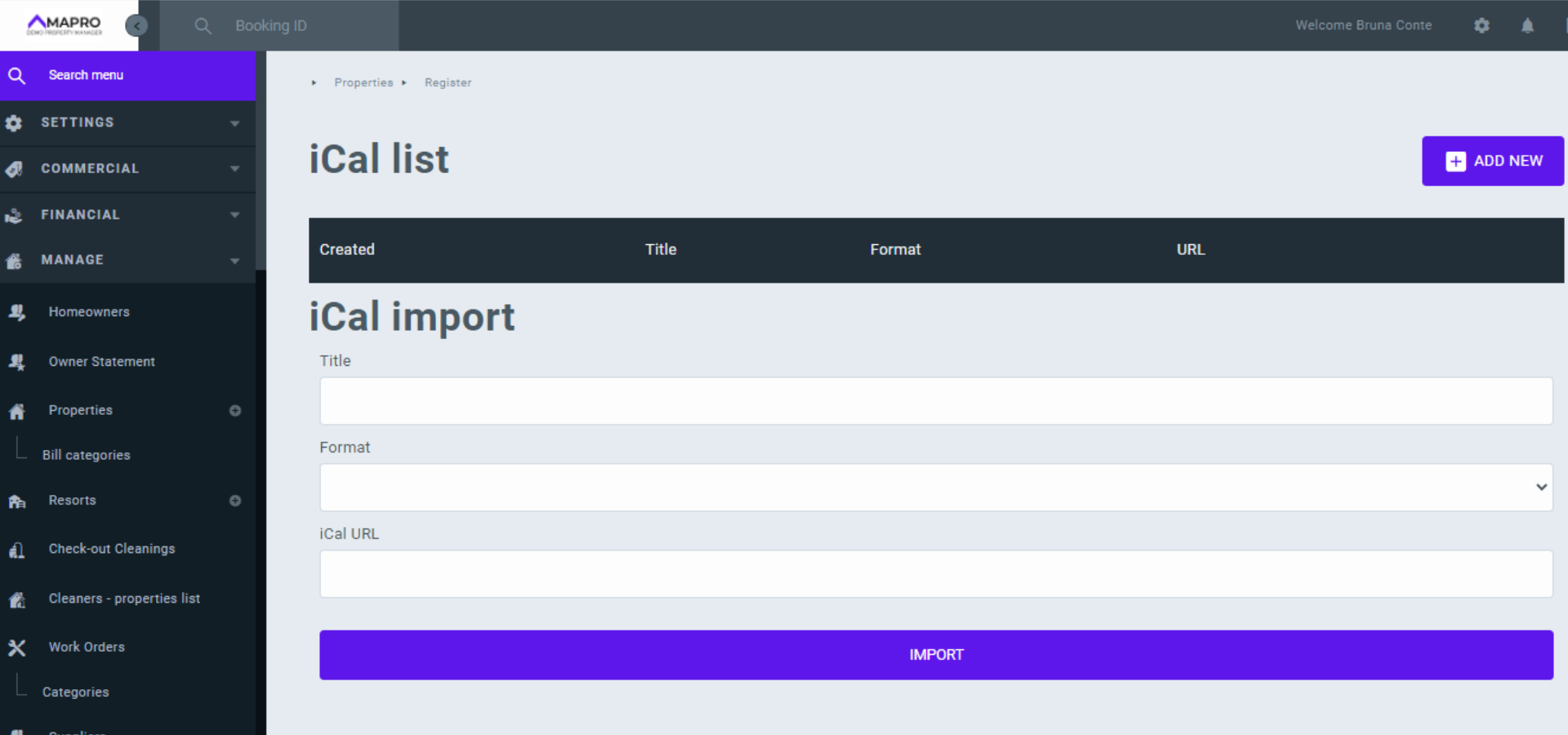
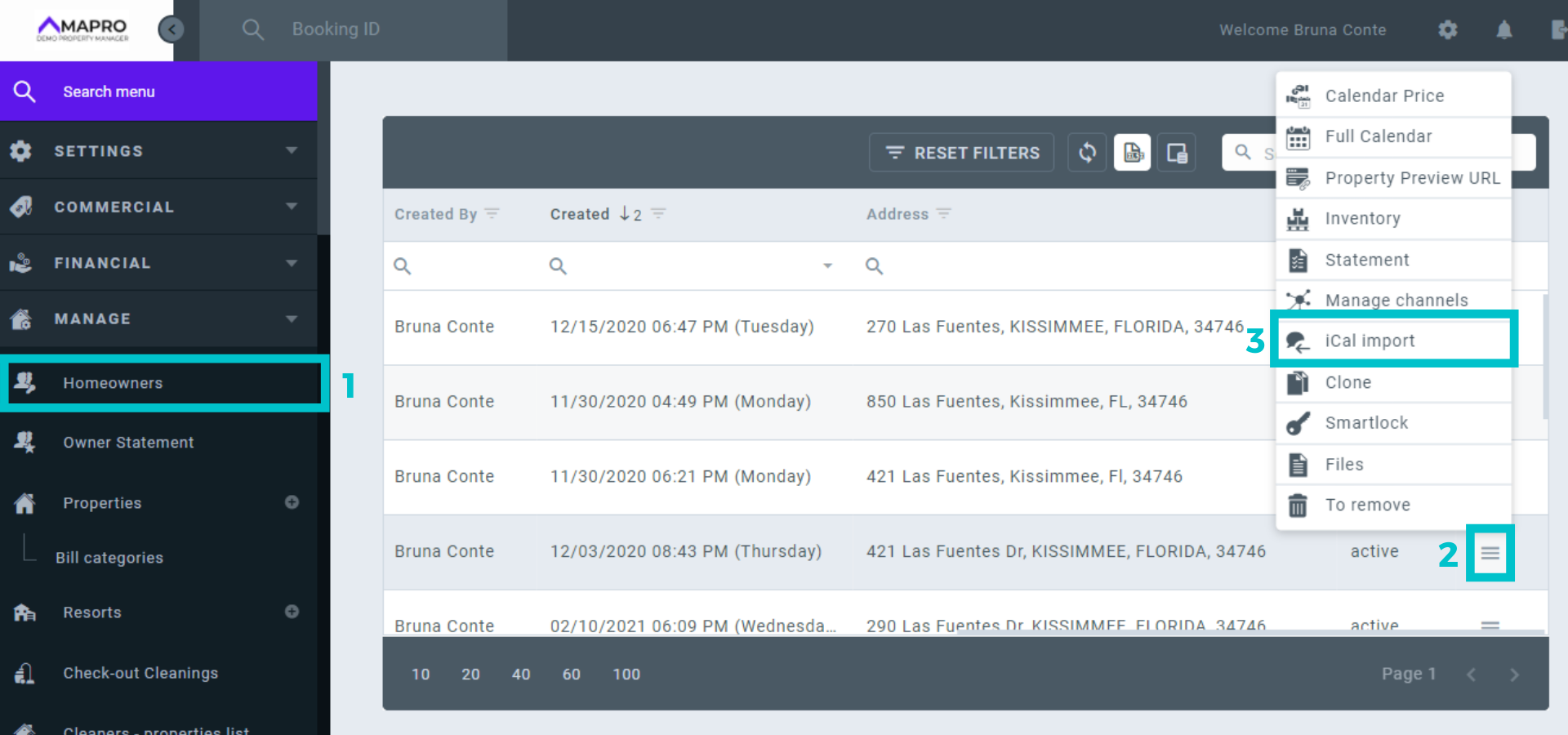
To register an external iCal to a property in MAPRO, access MENU > MANAGE > PROPERTIES. The last button on the right of each property opens a submenu - click on “iCal import” and enter the information requested.
The field “Title” is an internal iCal identifier chosen by you. When you connect more than one iCal to a property, the title helps you identify which channel the reservation comes from (e.g., Paul’s Airbnb Account).
In the “Format” field, choose from the list “Airbnb, VRBO, etc.”; in the “URL” field, enter the iCal address you want to register. To finish the process, click on “Import,” and MAPRO will automatically update the information in the calendar.
Important: every reservation coming from iCal is shown on MAPRO’s calendar as a block.